No, you can’t import an exported WhatsApp chat back into WhatsApp. WhatsApp states it directly on its export page: “Your chat history can’t be re-imported because it’s a text file and not a backup file” (WhatsApp Help Center, checked November 2026). The export is a copy for reading and keeping. Getting chats back inside WhatsApp takes a backup or a transfer, which are different features.
Export, backup and transfer are three different things
| Feature | What it produces | Can it put chats back into WhatsApp? |
|---|---|---|
| Export chat | A ZIP file with one chat as a text file, plus media if you chose it | No |
| Backup | A backup of your chat history that WhatsApp can restore | Yes, by restoring it |
| Transfer | Moves your chat history to another phone | Yes, on the new phone |
WhatsApp’s export page links to both alternatives as related resources: How to back up your chat history and How to transfer your chat history. If your goal is to see old chats inside WhatsApp again, on this phone or a new one, those two pages are the place to start, and the steps depend on which phones are involved.
What to do if the export is all you have
If the chat is gone from WhatsApp and the export file is the only copy, it won’t go back in, but nothing in it is lost. The ZIP holds every message that was exported, with its date, time and sender, and the photos and other media if you included them. View once messages are never part of an export.
You can still:
- Read it. Unzip it in the Files app and open the text file. The steps are in how to open an exported WhatsApp chat on iPhone.
- Make it look like a chat again. An app can rebuild the bubbles from the text file and save the result as a PDF or web page.
- Search and sort it. As a spreadsheet, each message is a row you can filter by date or sender.
- Keep it safe. Store the ZIP somewhere backed up; it’s the only copy.
Read the export as a chat with Exportly
We make Exportly, an iPhone app that opens WhatsApp’s export file. It can’t put the chat back into WhatsApp either; nothing can. What it does is show the export as a conversation again and turn it into a document.
- In the Files app, or wherever the ZIP is stored, share the file to Exportly.
- Exportly opens the chat with bubbles, dates and times, and your messages on the right.
- To keep it in that form, tap Export Chat and choose PDF, Word or HTML for a readable copy, or Excel or CSV for a table.
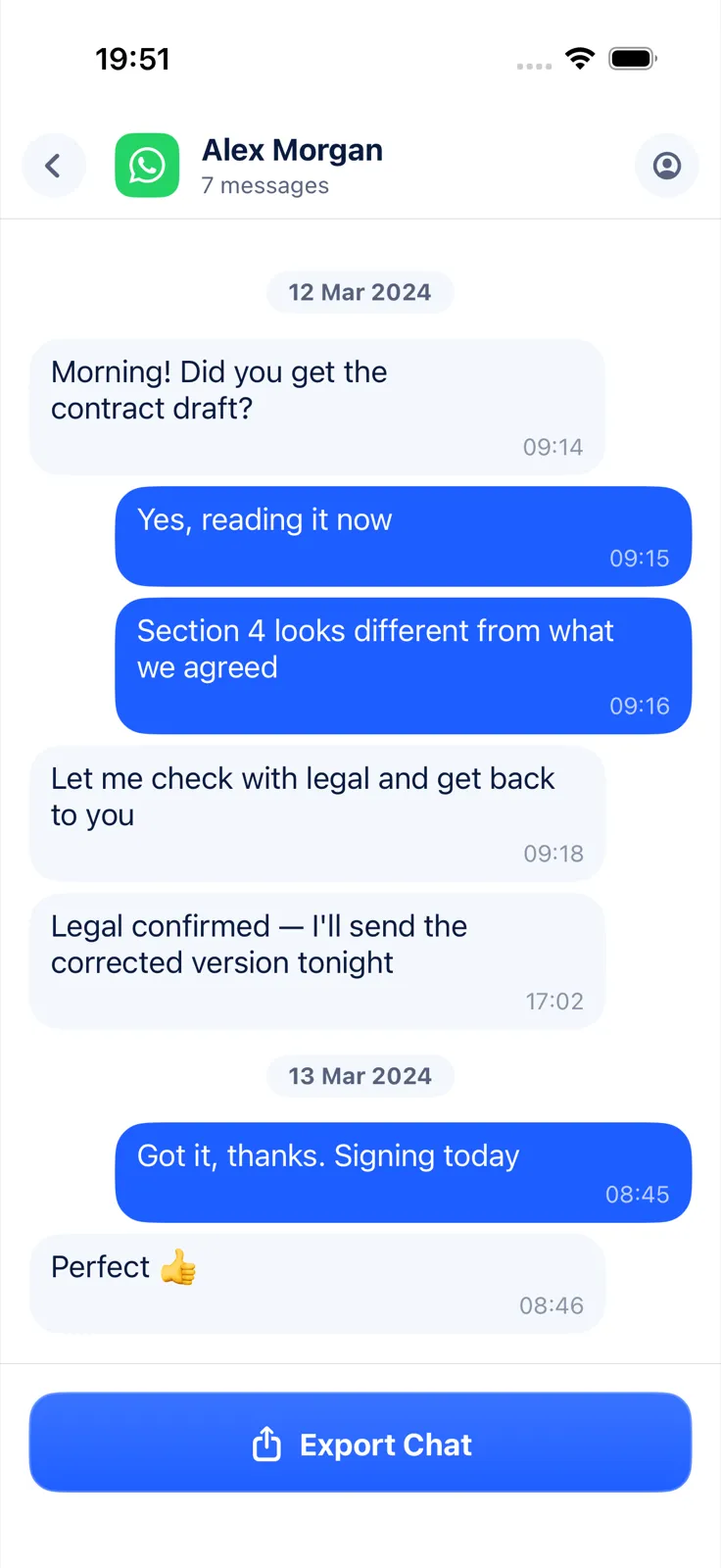
Opening and previewing the chat is free. Exporting needs Exportly Pro, a weekly or yearly subscription with the price shown in the app before you buy. The chat is processed on your iPhone and never uploaded. Exportly reads exports made on iPhone and on Android.
For the document side, see how to export a WhatsApp chat to PDF.
Can an exported WhatsApp chat be imported into Telegram?
Yes, that one works, because Telegram built an importer for it. Telegram’s announcement describes the steps on iPhone: open the contact or group info page in WhatsApp, tap Export Chat, then choose Telegram in the share menu. The messages are “imported into the current day but will also include their original timestamps”, and everyone in that Telegram chat can see them (Telegram: Moving Chat History from Other Apps).
This is a fresh export sent straight to Telegram from the share sheet. It moves the conversation to Telegram; it doesn’t return anything to WhatsApp.
How to avoid the problem next time
- Before you switch phones or reinstall WhatsApp, make a backup or use WhatsApp’s transfer, and treat Export chat as an extra copy, not the safety net.
- Before you delete a chat, export it if you might want to read it again.
- Don’t trust tools that claim to “restore” a ZIP or text file into WhatsApp. WhatsApp’s own page says the file can’t be re-imported.
Questions people ask
Can an exported WhatsApp chat be restored?
Not into WhatsApp. The export is a text file, not a backup. Only a WhatsApp backup or transfer brings chats back into the app.
What is the exported WhatsApp ZIP file for, then?
For reading, printing, searching and keeping a record outside WhatsApp. It contains the chat’s messages with dates, times and senders, and media if you included it.
Can I import a .txt chat into WhatsApp on a new phone?
No. Move your chats with WhatsApp’s transfer or restore a backup on the new phone.
Does the export include everything?
It includes the chat as it was when you exported it, without view once messages. Messages deleted before the export aren’t in it.