
WhatsApp Export Chat Limit: How Many Messages You Can Export
WhatsApp’s current help article on exporting chats doesn’t state any message limit or file-size limit, on iPhone, Android or WhatsApp Web (WhatsApp Help Center, checked October 2026). The only official hint at a WhatsApp export chat limit is on Android: with Include media, “the most recent media sent” is attached. The message counts you’ll see quoted on other websites are not on WhatsApp’s current page.
What WhatsApp’s help page says, platform by platform
WhatsApp documents the export on each platform, but none of the versions gives a number.
| Platform | Media options | Date range | What the page says about limits |
|---|---|---|---|
| iPhone | With all media, With selected media…, Without media | No, the whole chat | Nothing |
| Android | Include media, Without media | No, the whole chat | With Include media, “the most recent media sent will be added as attachments” |
| WhatsApp Web | None: “Media isn’t included” | All messages or Custom date range | Nothing |
Source for all rows: WhatsApp Help Center, How to export your chat history. The same article also says that view once messages aren’t exported, and that on Web disappearing messages aren’t either.
Where the message-limit numbers come from
Many websites repeat fixed message counts as WhatsApp’s export limit, usually one figure with media and a higher one without. They present them as quotes from older versions of WhatsApp’s FAQ. WhatsApp’s current article contains no such figures, and we couldn’t verify an official source for them, so we don’t repeat them here. If your export seems to stop short, check the file itself instead of relying on a number: compare the first message in the export with the first message in the chat.
How to export a very long WhatsApp chat
These options come straight from WhatsApp’s own export choices and help when a chat is huge.
- Export without media first. On iPhone choose Without media, on Android Without media. You get the complete text in a much smaller file.
- Then add only the media you need. On iPhone, export again with With selected media… and pick the photos that matter, rather than every video and voice note.
- Use WhatsApp Web for a date range. On Web, click More options > Export chat, choose Custom date range and click Export. You get a smaller slice of the chat, but no media.
- Save to Files instead of emailing. A large ZIP is easier to handle saved on your phone (Save to Files) than as an attachment. Your email provider’s own attachment rules apply if you send it.
Source for the export options: WhatsApp Help Center.
Check that your export is complete
Before you rely on an export, make sure it covers what you need.
- Open the export and look at the first and last messages. Do they match the start and end of the conversation you care about?
- Check whether the important photos are there, especially if you exported on Android.
- Remember what’s never included: view once messages, and messages that were deleted before you exported.
If the export is missing entirely, the problem isn’t a limit; see why Export chat isn’t showing.
Split a long chat into smaller files with Exportly
Once you have the export, a long chat can still be awkward as one enormous document. Exportly, an iPhone app, reads WhatsApp’s export file and lets you produce smaller files from it. It can’t add messages that WhatsApp left out of the export, and it doesn’t get around any WhatsApp limit; it works with what the file contains.
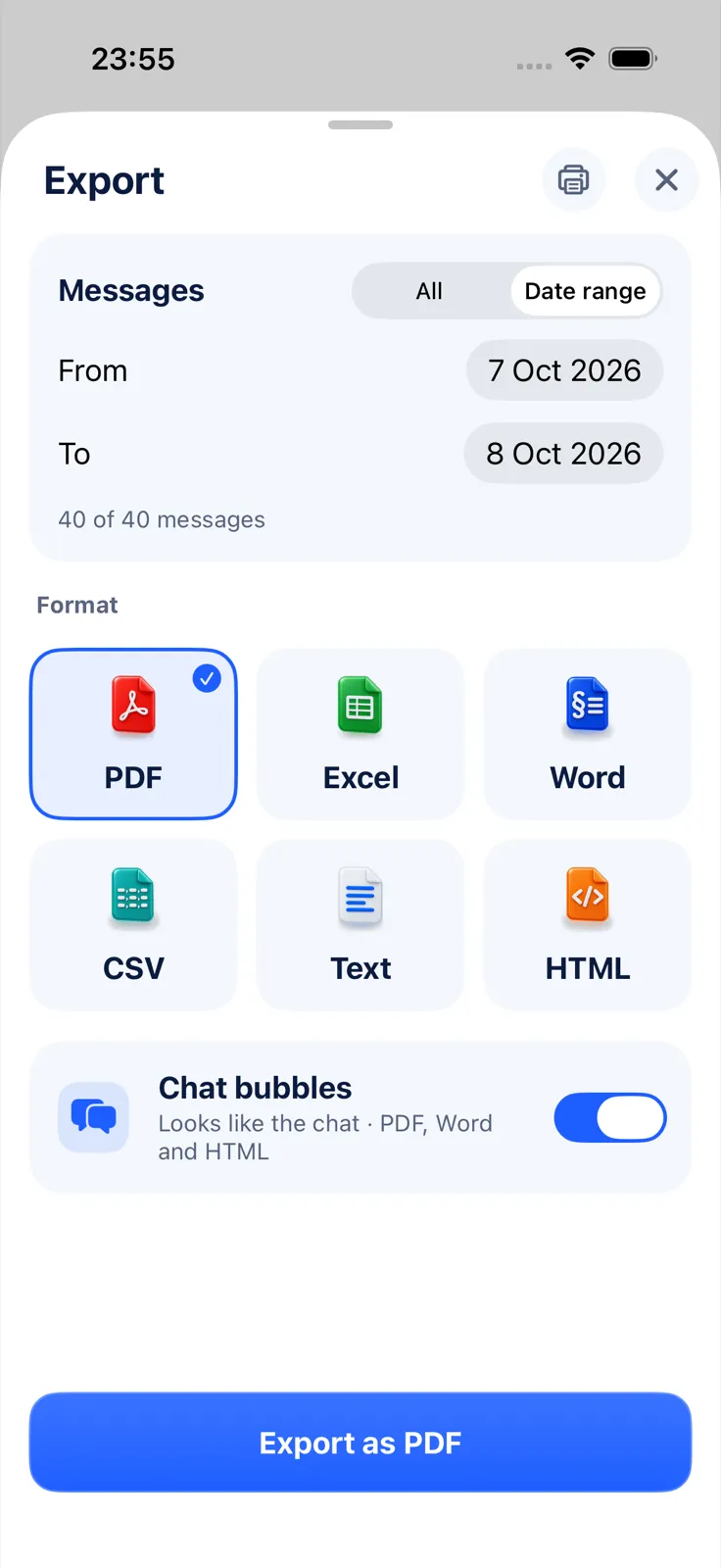
- Share the WhatsApp export to Exportly from the share sheet.
- Tap Export Chat.
- Under Messages, choose Date range and set From and To, for example one month or one year.
- Pick PDF, Word, Excel, CSV, Text or HTML and export.
- Repeat with the next date range.
Opening and previewing the chat is free; exporting needs Exportly Pro (weekly or yearly, price shown in the app before you buy). The chat stays on your iPhone and is never uploaded. For the full walkthrough, see how to export a WhatsApp chat to PDF, and for the media side, how to export a WhatsApp chat with media.
Questions people ask
Is there a limit to how many WhatsApp messages you can export?
WhatsApp’s current help page doesn’t give one for iPhone, Android or Web. The only stated restriction is that Android attaches “the most recent media” when you include media.
Is the message limit quoted on other websites real?
Those figures aren’t on WhatsApp’s current help page. They circulate as quotes from older versions of the FAQ, and we couldn’t confirm them from an official source.
Why didn’t all my photos export?
On Android, WhatsApp attaches the most recent media. View once photos are never exported. On iPhone, check that you chose With all media rather than Without media.
Can I export just part of a WhatsApp chat?
On WhatsApp Web, yes, with Custom date range (text only). The iPhone and Android apps export the whole chat; after that, Exportly’s Date range can limit the file you make from it.
Also available in: Deutsch · Español (México) · Français · Italiano · Português (Brasil) · Türkçe