
How to Export a WhatsApp Business Chat
To export a WhatsApp Business chat, use WhatsApp’s Export chat feature: on iPhone, open the customer’s chat, tap their name at the top and choose Export chat. WhatsApp documents this in its general help article, which covers Android, iPhone, Web, Windows and Mac; there’s no separate WhatsApp Business article on exporting, so the labels in the Business app may differ slightly (WhatsApp Help Center). Each export covers one chat and arrives as a ZIP file.
How to export a chat from WhatsApp Business on iPhone
These are the steps WhatsApp documents for its iPhone app; use them in the Business app the same way.
- Open the customer’s chat (or a group chat).
- Tap the contact’s name or the group name at the top, then tap Export chat.
- If the chat contains media, choose With all media, With selected media… or Without media. Choose a media option if the customer sent photos of receipts, products or documents you need to keep.
- Choose where to send it, for example Save to Files.
On Android, the path is More options (three dots) > More > Export chat, then Include media or Without media (WhatsApp Help Center).
What a WhatsApp Business export can and can’t do
Know the limits before you build a record-keeping habit around it.
| It can | It can’t |
|---|---|
| Copy one chat, with or without media, as a ZIP file | Export all customer chats at once (WhatsApp documents only one chat at a time) |
| Be saved to Files, sent by email or shared to another app | Be imported back into WhatsApp; WhatsApp calls it “a text file and not a backup file” |
| Include the messages that are in the chat when you export | Include messages sent as view once |
If you need every chat restorable on a new phone, that’s a backup, not an export. An export is a readable copy you keep outside WhatsApp.
Why can’t I export a customer’s chat?
Usually because Restricted chat is turned on in that conversation. WhatsApp’s help article says that when Restricted chat is on, people in the chat “can’t export the chat”, and in a one-to-one chat either participant can turn it on (WhatsApp: About restricted chat). The article doesn’t single out business accounts, but since the setting applies to people in the chat, a customer who turns it on would block exporting for your side too.
One exception WhatsApp does mention: Restricted chat isn’t available in chats with businesses that use Meta to store messages and reply to customers on their behalf. For the full list of checks, see why WhatsApp Export chat isn’t showing.
Turn the export into a client record with Exportly
A raw ZIP isn’t a convenient thing to file under a client’s name. Exportly is an iPhone app that opens WhatsApp’s export file and saves the conversation as a document you can actually file.
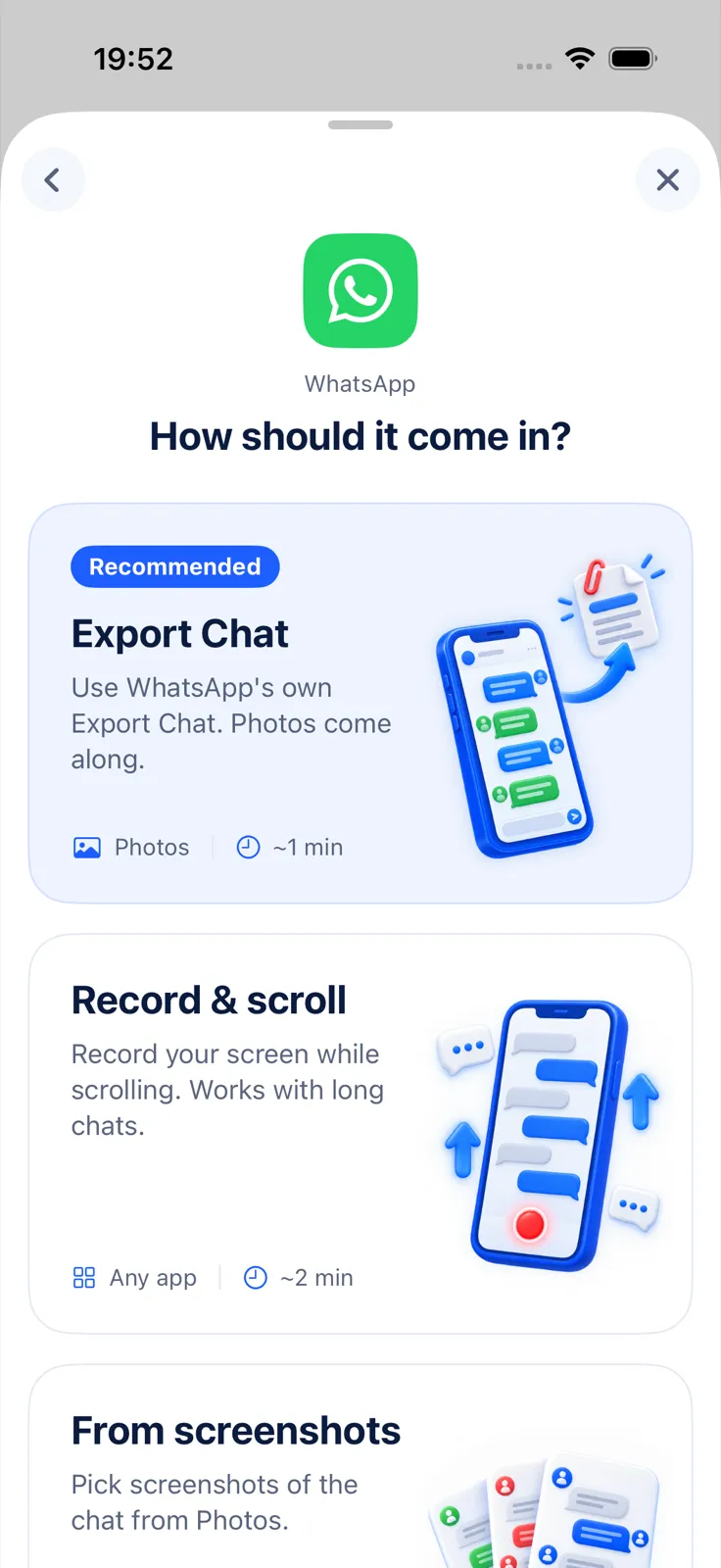
- In the share sheet after Export chat, tap Exportly. Or save the ZIP to Files first, touch and hold it, tap Share and choose Exportly.
- Check the preview. Names appear as they are in the WhatsApp export.
- Tap Export Chat and pick a format:
- PDF for a fixed copy to file or forward, with chat bubbles or plain text.
- Excel for a log: one message per row in the columns Date, Time, Sender, Message and Attachment.
- Under Messages, use Date range with From and To to file one period at a time, such as a single order or a month.
- Share the file or save it to Files.
Exportly reads WhatsApp’s export file; it isn’t connected to your WhatsApp Business account and doesn’t read chats on its own. If the Business app gives you the same kind of ZIP as WhatsApp, it opens the same way. Opening and previewing are free; exporting, sharing and printing need Exportly Pro (weekly or yearly, price shown in the app before you buy). The chat is processed on your iPhone and never uploaded.
Simple habits for keeping customer chat records
A few habits make exported chats useful months later.
- Export when something is agreed, not only when there’s a problem: a quote accepted, a delivery date confirmed, a refund promised.
- Name files consistently, for example customer name, topic and date, so they sort in Files.
- Keep the original ZIP next to the PDF or Excel file.
- Follow your company’s policy first. Retention rules and what you may keep about customers depend on where you work and your industry; this guide doesn’t cover legal requirements.
There’s more on this in how to keep a record of WhatsApp and text work chats. The general walkthrough is in how to export a WhatsApp chat to PDF.
Questions people ask
Can you export chats from WhatsApp Business?
Yes, with Export chat, one chat at a time. WhatsApp documents it in its general export article rather than a Business-specific one.
Can I export all my customer chats at once?
Not with WhatsApp’s export. It works one chat at a time.
Is an exported chat a backup?
No. WhatsApp says the export can’t be imported back into the app. Use it as a record, not a way to restore chats.
Why can’t I export one particular customer’s chat?
The chat may have Restricted chat turned on, which blocks exporting for people in the chat.
Also available in: Deutsch · Español (México) · Français · Italiano · Português (Brasil) · Türkçe