
How to Export a WhatsApp Group Chat
You export a WhatsApp group chat the same way as a one-to-one chat: open the group, tap the group name at the top and choose Export chat. On Android it’s under More options > More > Export chat (WhatsApp Help Center). The one group-specific obstacle is Restricted chat: if a group admin has turned it on, nobody in the group can export it.
How to export a WhatsApp group chat on iPhone
Any member of the group can export it, unless Restricted chat is on.
- Open the group chat.
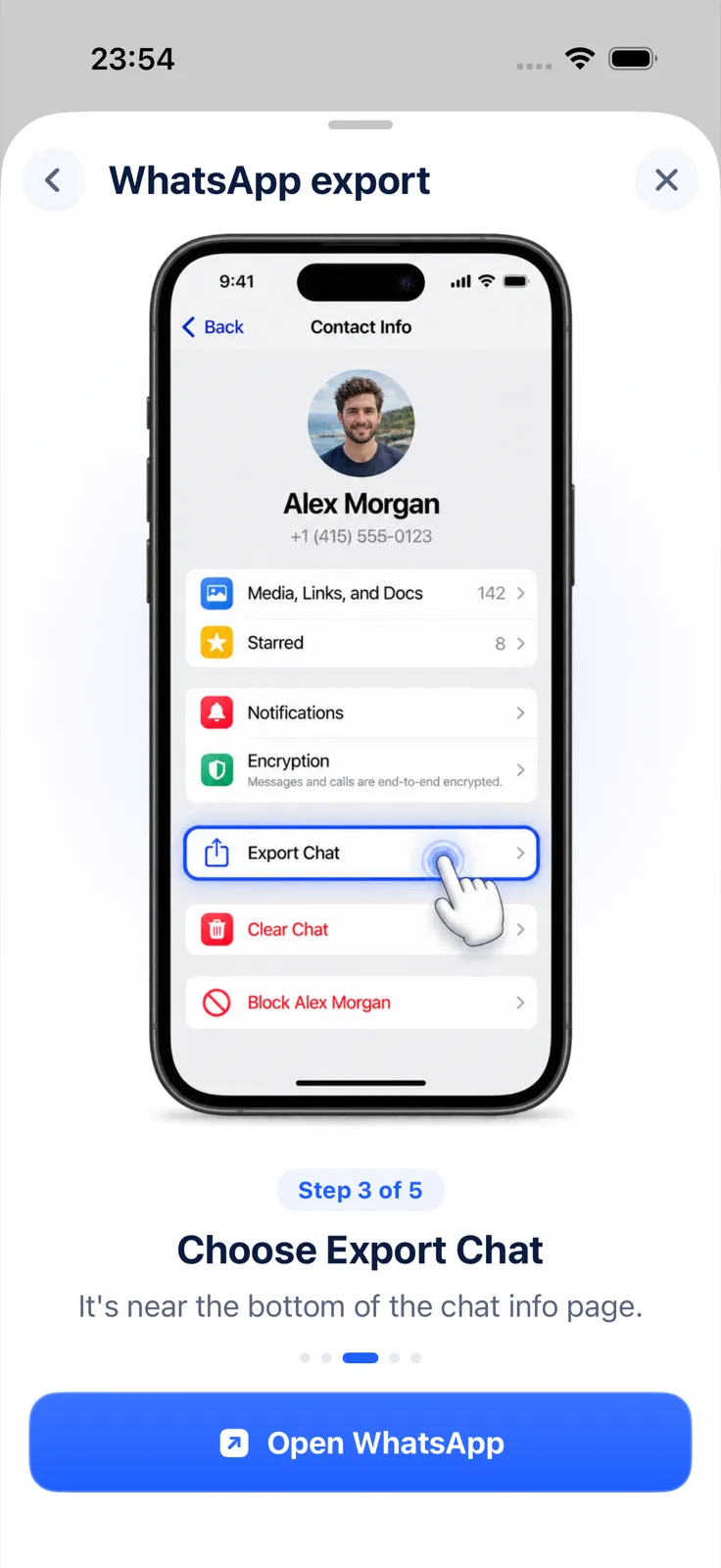
- Tap the group name at the top of the screen, then tap Export chat (it’s near the bottom of the group info page).
- If the group has media, choose With all media, With selected media… or Without media.
- Choose where the file goes: Save to Files, Message, Notes or an app in the share sheet.
WhatsApp exports the group as a ZIP file containing the chat as text, plus media if you chose it. Messages sent as view once aren’t included, and the export can’t be imported back into WhatsApp (WhatsApp Help Center).
On Android and WhatsApp Web
On Android, open the group and tap More options (three dots) > More > Export chat, then Include media or Without media. WhatsApp notes that with Include media, “the most recent media sent” is attached, so a long-running group may not come with every photo.
On WhatsApp Web, open the group and click More options > Export chat, then choose All messages or Custom date range and click Export. The date range is handy for a group that’s been active for years, but Web exports never include media.
Why can’t I export a WhatsApp group?
If Export chat is missing in a group, the most likely reason is that a group admin has turned on Restricted chat (formerly called Advanced chat privacy). While it’s on, people in the chat “can’t export the chat”, media isn’t saved to their gallery automatically, and the chat can’t be used on linked devices. In a group, “group admins can update this setting”, so a regular member can’t switch it off (WhatsApp: About restricted chat).
What you can do: ask an admin whether they’re willing to turn it off for a while. For the full checklist, see WhatsApp Export chat not showing.
Make a busy group export readable
A group export is harder to read than a one-to-one chat because many people are talking at once and the text file just lists line after line. Two things help.
Read it as a conversation. Exportly, an iPhone app, opens the group’s export and shows it as a conversation in chat bubbles instead of a wall of text, with each sender’s name as it appears in the export file. From there you can export a PDF, Word document or HTML page with the photos embedded. Share the ZIP to Exportly from WhatsApp’s share sheet, check the preview, then tap Export Chat.
Sort it by person in a spreadsheet. Exportly’s Excel export puts every message on its own row with Sender in its own column, so you can filter to one member, or count who wrote what. The WhatsApp chat to Excel guide covers this in more detail.
To keep a group export manageable, use Date range on Exportly’s export sheet (Messages > Date range, then From and To) to cover only the weeks you need instead of the whole history.
Opening and previewing a group in Exportly is free. Exporting, sharing and printing need Exportly Pro, a weekly or yearly subscription with the price shown in the app before you buy. The chat is processed on your iPhone and never uploaded.
Before you share a group export
A group export contains other people’s messages and names. Before you send it on, think about who really needs to see which part of it. Exporting only the relevant dates keeps other members’ unrelated conversations out of it. If you’re sharing screenshots instead, see how to blur names in a screenshot.
For the general export walkthrough and PDF options, start with how to export a WhatsApp chat to PDF.
Questions people ask
Do group members get notified when I export the chat?
WhatsApp’s export help article doesn’t mention any notification. It describes the export only as a copy you send or save.
Can I export only my own messages from a group?
Not in WhatsApp; it exports the whole group conversation. In a spreadsheet export you can filter the Sender column to show only your messages.
Can I export all my WhatsApp groups at once?
No. WhatsApp’s export works one chat at a time, so repeat the steps for each group.
Why is Export chat missing in my group?
Most likely a group admin turned on Restricted chat. Only admins can turn it off.
Also available in: Deutsch · Español (México) · Français · Italiano · Português (Brasil) · Türkçe