
How to Download Your LinkedIn Messages
To download your LinkedIn messages, go to Settings & Privacy > Data Privacy > Download your data on a computer, select Messages and click Request archive. LinkedIn emails you a link, and the file stays downloadable for 72 hours. The feature isn’t available in the LinkedIn mobile app.
How to request your LinkedIn messages archive
LinkedIn’s data download covers your sent, received and archived messages. Use a personal computer, not a shared one.
- Click the Me icon at the top of your LinkedIn homepage.
- Select Settings & Privacy.
- Click Data Privacy on the left.
- Under How LinkedIn uses your data, click Download your data.
- Select Messages (or the other data you want) and click Request archive.
- When LinkedIn’s email arrives, use its link to download the file.
Source: LinkedIn Help: Download your account data. LinkedIn’s menus can look slightly different depending on the layout you see.
How long does it take, and what’s in it?
Plan for up to two days. LinkedIn’s help page lists Messages among the data “available within 48 hours”, and once the email arrives you have 72 hours to download the file.
According to the same page, the messages data includes:
- messages you sent, received and archived;
- the date each was sent or received;
- the subject line and content;
- the other member’s public profile URL.
It’s every conversation on your account in one download, which is what you want for a full copy. It isn’t laid out as a readable conversation you could print for someone, and LinkedIn’s page doesn’t say which file format the messages come in.
If you need data that isn’t in LinkedIn’s categories, LinkedIn points to its Data Access Request Form, which can take several days.
Download before you close your account
LinkedIn says that if you close your account, you’ll no longer have access to your account data. Request the archive first, wait for the email and download the file before you close anything. Because the link expires after 72 hours, don’t request it the night before a trip.
The same order applies to every other app: data first, deletion second. Our checklist on saving your messages before deleting an account covers WhatsApp, Instagram, Messenger, X and more.
Can you download LinkedIn messages on your phone?
Not through LinkedIn’s data download. LinkedIn says the feature is currently not available on mobile. On an iPhone, your options are to save what you see on screen:
- Screenshots, for a few messages.
- A screen recording turned into a document, for a longer conversation.
Save one LinkedIn conversation as a PDF on iPhone
When a recruiter’s offer or a client’s go-ahead lives in one LinkedIn thread, a single readable file is often more useful than the full archive. Exportly makes that file from the conversation on your screen. LinkedIn is on its list of chat apps.
- In Exportly, add a chat, choose LinkedIn, then Record & scroll (or From screenshots if you already have screenshots).
- For a recording, tap Start Screen Recording and confirm Start Broadcast. Exportly opens LinkedIn.
- Open the conversation, start at the oldest message and scroll down slowly. Come back to Exportly when you reach the end.
- Enter the other person’s name in Chat with, check the preview, and export.
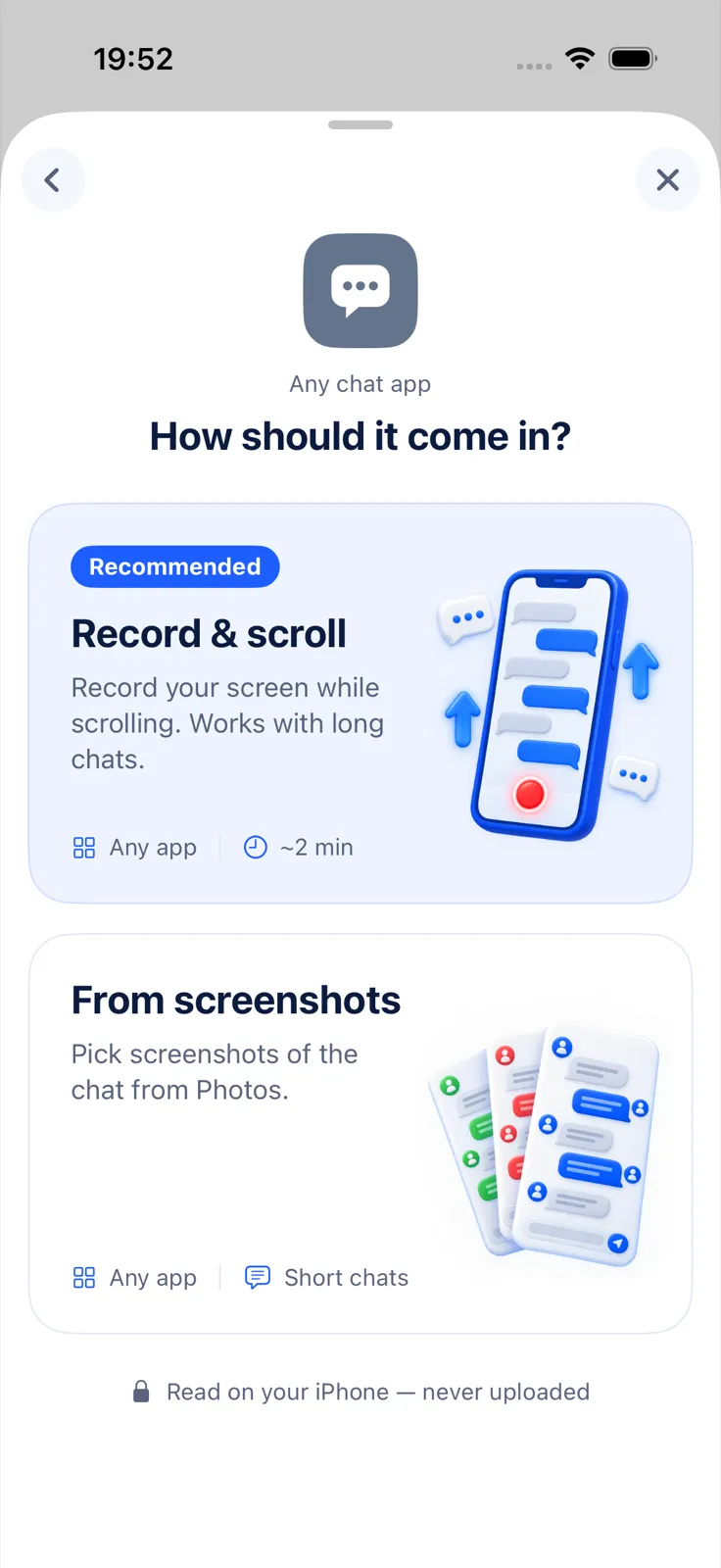
You can export the conversation as PDF (chat bubbles or plain text), Excel, Word, CSV, Text or HTML, then share it or save it to Files.
What to expect:
- Exportly reads English and Turkish text only.
- It brings in the text, not attachments.
- It reads only what was on screen, so scroll through the whole thread.
- Text recognition can misread names or numbers; check the preview.
Importing and previewing are free. Exporting, sharing and printing need Exportly Pro (weekly or yearly; the price is shown in the app before you buy). The conversation is processed on your iPhone and never uploaded. Exportly doesn’t open LinkedIn’s archive file.
For the same job in other apps, see our guides to downloading Instagram messages and downloading Messenger messages, or the Telegram guide, which compares the options for apps without a built-in export.
Questions people ask
Can I export just one LinkedIn conversation?
LinkedIn’s download is by data category, not by conversation, so Messages covers all of them. For one conversation as a document, capture it from your screen.
Why didn’t my LinkedIn download arrive within minutes?
LinkedIn says single categories can come within minutes, but its table lists Messages under “available within 48 hours”. Check your email, including spam, over the next two days.
Can I get my LinkedIn messages after closing my account?
LinkedIn says you’ll no longer have access to your account data after you close it. Download first.
Also available in: Deutsch · Español (México) · Français · Italiano · Português (Brasil) · Türkçe