
How to Download Your Twitter (X) DMs
To download your Twitter DMs, request your X archive: go to Settings and privacy > Account > Your X data, verify with a code, then tap Request data. X says the archive can take a few days to prepare. The ZIP file includes your Direct Messages along with the rest of your account data. X doesn’t offer a download for just one DM conversation.
How to download your X archive on iPhone
These are X’s steps for the iOS app.
- Tap your profile icon in the top menu, then Settings and privacy.
- Tap Account.
- Under Data and permissions, tap Your X data.
- Verify it’s you: tap Send code to send a code to the email address or phone number on file, then enter it. If you have neither on file, X sends you to the Account information page first.
- Under Download your data, next to X, tap Request data.
- When the archive is ready, X sends an email or push notification. Go back to the same screen and tap Download archive.
- X also emails a link to your confirmed email address. Click Download while logged in to X to save the .zip file.
Source: X Help: How to download your X archive. X recommends confirming your email address first and downloading in the same browser where you’re logged in.
The X help page has separate tabs for Android and desktop. The labels above are from the iOS instructions.
What’s in the X archive?
The archive is a ZIP file of HTML and JSON files. According to X, it includes:
- your Direct Messages;
- media, meaning images, videos and GIFs attached to posts, DMs or Moments;
- posts, profile information and Moments;
- followers, following, address book and Lists;
- interest, demographic and ads data, “and more”.
Open the HTML part in a browser to look through it. It covers the whole account at once, so it’s the right tool for keeping everything, and less handy when you need one conversation to send to someone.
Encrypted DMs and disappearing messages
X’s newer encrypted messages behave differently. X’s help page on encrypted DMs says:
- Logging out deletes all messages on that device, encrypted DMs included.
- If you forget your passcode and can’t reset it from another device, you can’t recover your encrypted conversation history.
- Disappearing messages are deleted from the device and from X’s servers after the time you set.
Source: X Help: Encrypted direct messages. X’s archive page doesn’t say whether these encrypted messages are included in the download, so don’t count on it. If an encrypted conversation matters, save your own copy while you can see it.
How to save one X DM conversation as a file
For a single DM thread, capture it from the screen. A few screenshots are enough for short exchanges. For a long thread, Exportly turns a screen recording into one document on your iPhone. X isn’t a named app in Exportly, so choose Other.
- In Exportly, add a chat, choose Other, then Record & scroll.
- Tap Start Screen Recording and confirm Start Broadcast.
- Open X, go to the conversation, start at the oldest message and scroll down slowly to the newest.
- Return to Exportly, enter the other account’s name in Chat with, and check the preview.
- Export as PDF, Word, Excel, CSV, Text or HTML, then share it or save it to Files.
If you’d rather work from screenshots you’ve already taken, choose From screenshots in step 1 and pick them from Photos, letting each one overlap the last.
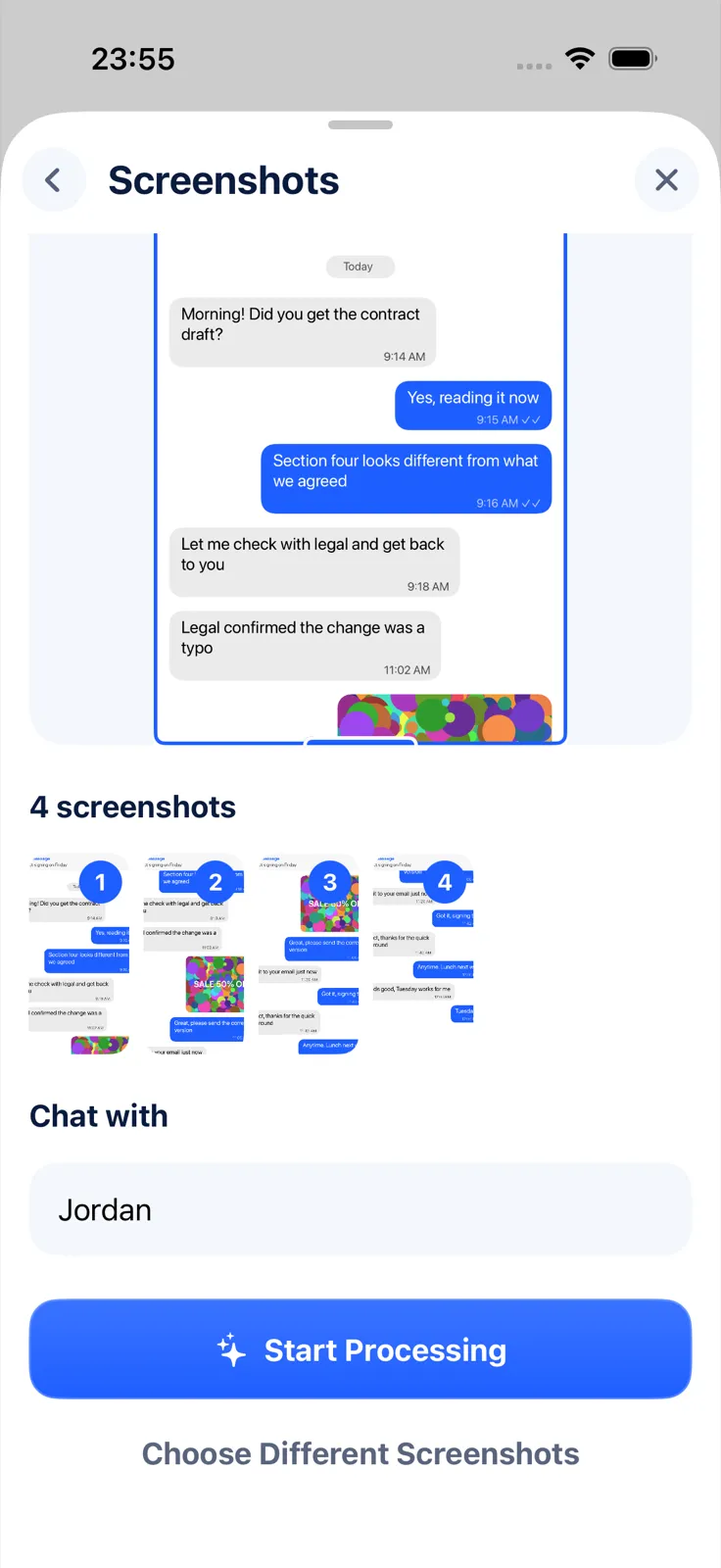
What to know: Exportly reads English and Turkish text only, brings in text but not images or videos, and reads only what was on screen. Check the preview for misread words. Importing and previewing are free; exporting needs Exportly Pro, a weekly or yearly subscription with the price shown in the app. The conversation is processed on your iPhone and never uploaded. Exportly doesn’t open the X archive ZIP.
Leaving X altogether? Download the archive first and follow our checklist for saving messages before deleting an account. For similar archives on other platforms, see how to download your Instagram messages and how to export a Discord chat. The Telegram guide compares options for apps without a built-in export.
Questions people ask
Can I download only one DM conversation from X?
No. X’s download is the full account archive. For one conversation, capture it from your screen.
How long does the X archive take?
X says it may take a few days. You’ll get an email or push notification when it’s ready.
What format are Twitter DMs in the download?
The archive is a .zip of HTML and JSON files. The HTML part opens in a web browser.
Also available in: Deutsch · Español (México) · Français · Italiano · Português (Brasil) · Türkçe